Data security in the EU
Keep access data close to your business with European hosting, clear policies and a security level built for modern compliance demands.
In a world where 80% of all data breaches involve weak or stolen passwords, Pcrypt is your organization's first line of defence. We help companies protect access, share passwords securely and document compliance.
Keep access data close to your business with European hosting, clear policies and a security level built for modern compliance demands.
Organize access by team, system, customer or risk level, so employees can quickly find the right credentials without losing control.
See who has access, which teams share what, and how changes are documented for audits and internal security.
80% of all data breaches involve weak or stolen passwords. Pcrypt helps you create overview, share securely and meet the demands of modern data security.
You get one secure place for every login, so employees no longer search through notes, chats and spreadsheets. That means faster sign-ins, fewer resets and better control over the passwords used every day.
You can share access with exactly the people who need it without sending raw passwords around. When someone joins, changes role or leaves, access can be adjusted without losing overview.
You raise the security level across the organization without making sign-in unnecessarily difficult. Users can keep using the authentication app they already know, while admins get a clearer security standard.
You can find the right access quickly, even across many customers, systems or teams. Tags and filters make it easier to stay organized, prioritize critical logins and avoid wasted time searching.
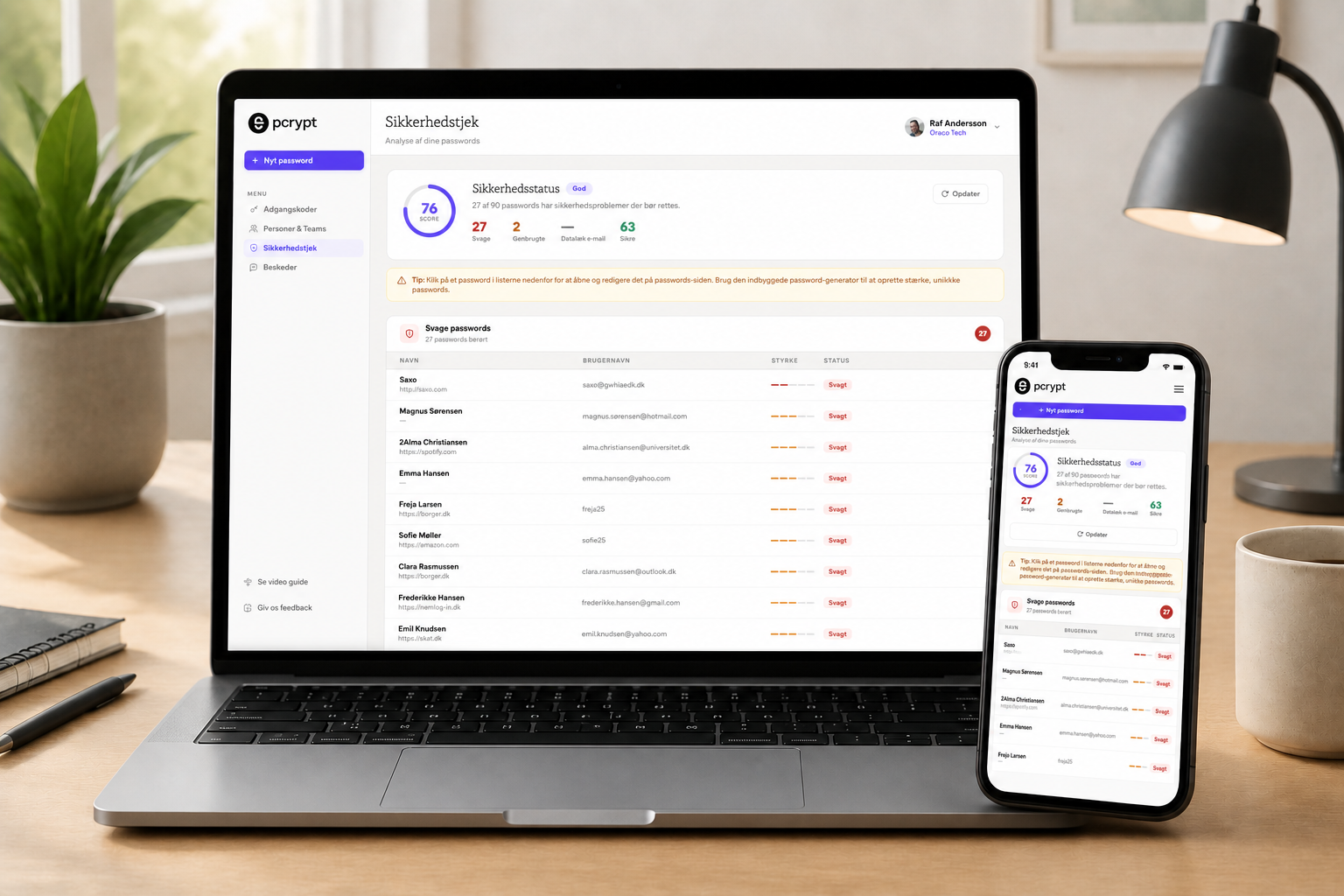
You get a shared admin overview that makes weak passwords, reuse and unsafe workflows easier to spot. IT gets a better basis for reacting, documenting and following up.
You can get started without beginning from scratch. Import helps move existing passwords into a more controlled setup, while export gives flexibility when data is needed in other workflows.
Try Pcrypt directly in your browser, install our browser extension or take your passwords with you in the mobile app. Save new logins, autofill passwords and work securely across your everyday devices.
Zero-Knowledge means your passwords are your secret – not ours. Sensitive data is encrypted locally, and only authorized users with the correct keys can decrypt the content.
Everything is encrypted locally before it leaves the device, so sensitive material is never readable in transit.
That means passwords, shared access and sensitive notes are protected at the source. Even when data syncs across devices, only authorized users with the right keys can read the content.
Transport and synchronization run through secure connections using modern encryption standards.
Pcrypt is built to reduce risk when access and data move across devices. It supports a more resilient day-to-day workflow where employees can work flexibly without weakening security.
The architecture is designed for organizations where control, documentation and trust matter.
The security model supports clear access roles, controlled sharing and better documentation. That makes the solution relevant for companies working with internal policies, audits and modern compliance expectations.

Only authorized users can gain access.
Multi-factor authentication and continuous verification ensure that only the right people gain access.
Users only get access to what they need – nothing more.
End-to-end encryption protects passwords and data – always.
Activity is logged and monitored so security events can be handled quickly.
The NIS2 directive introduces stricter requirements for cybersecurity and documentation. Pcrypt helps you turn those requirements into practical operations.
Manage access by teams and roles, so permissions follow the organization instead of ending up in loose documents.
NIS2 requires better control over who has access to critical systems and data. With Pcrypt, you can centralize access management, reduce reused passwords and update permissions quickly when employees change roles or leave the company.
Share access with the right people and groups without sending raw passwords by email, chat or informal notes.
When access is shared through controlled teams, it becomes clearer who has access to what. That makes onboarding, offboarding and internal control easier, while avoiding unsafe workflows such as screenshots, spreadsheets and password messages.
Use tags to create overview across critical systems, compliance areas and access types.
Tags can mark critical systems, customers, departments or compliance areas. This gives administrators a clearer overview and makes it easier to document access practices, identify risk areas and prepare material for audits.
Pcrypt can be used across the business, but leadership, IT, compliance and teams with specific deployment needs often need different entry points.
Get an overview of logins, share access securely and reduce the risk of weak or reused passwords.
View business solutionMake onboarding, offboarding, 2FA, browser extensions and access flows easier to manage across the organization.
View securitySupport NIS2, internal controls and audit requirements with clearer access management and documentation.
View resourcesGet started quickly with a hosted solution for teams that want to minimize technical maintenance.
Book walkthroughFor organizations with stricter requirements for hosting, data, infrastructure and internal security processes.
View planCustomize the experience with your own branding, domain and setup when the solution is used broadly or delivered onward.
Learn moreGet a password manager that can adapt to your operations, security requirements and the way your teams collaborate.
Choose a setup that fits your IT strategy, internal security requirements and need for control.
Cloud gives you fast rollout, ongoing updates and minimal technical operations. On-premise is suited for organizations that want tighter control over hosting, access policies, data flows and compliance in their own environment.
Introduce secure access management without changing the way your employees already work.
Pcrypt can connect to existing workflows with browser extensions, import, teams, tags and clear access flows. That makes it easier to onboard users, share access securely and remove access again when roles change.
Create a consistent experience with your own identity when the solution is used internally or delivered onward.
Customize branding, domain, visual experience and rollout so Pcrypt feels like a natural part of your own platform. This is especially relevant for partners, IT providers and organizations with multiple departments or customers.

Free
Free with no commitment
For trying Pcrypt and keeping your most important passwords secure.
Get started for free€3 /user per month
Billed annually
For individuals and families who want to store and share passwords securely.
Get startedFree is a simple introduction to Pcrypt. Standard removes the limits and unlocks sharing, files and full flexibility.
€3 /user per month
Billed annually
For smaller teams that want to store and share passwords securely.
Get started€3.5 /user per month
Billed annually
For teams and companies that need more control, reporting and secure access management.
Get started€4 /user per month
Billed annually
For organizations that want local installation, full operational control and specific deployment requirements.
Get startedStandard covers the essentials. Premium and On-Premise add more control, administration and enterprise features.
Pcrypt grew from years of practical experience developing and operating password management technology.
Before launching under its own name, the platform operated as an OEM solution and protected access for thousands of users through international partners.
Today, we develop Pcrypt as an independent European security platform focused on Zero-Knowledge, simple administration and secure sharing of companies' most important access credentials.
Password Crypt is led by three experienced partners with many years in the Danish IT industry.
We work closely with European development and design specialists on security, product quality and user experience.
A stable, debt-free ownership foundation gives us the freedom to prioritize technical quality, data security and lasting customer relationships.
Get material that helps you evaluate Pcrypt, anchor access policies and document secure operations for management, audits and customers.
Overview of encryption, key management, access control and secure sharing.
Practical guide to password policy, documentation, roles and audit trails.
Explanation of how sensitive data is protected without Pcrypt being able to read it.
Material for rollout, user permissions, teams, import and offboarding.
Insight into browser extensions, cloud, on-premise and enterprise setup.
Pcrypt is available through web, desktop and browser extensions, so employees can work securely across devices. Your administrator invites users, places them in the right teams and assigns access by role, ensuring each person only gets access to what they need.
Passwords are encrypted locally before they are stored and are only decrypted again by users with the right permissions. This means passwords do not have to be shared through emails, chats or documents, and the company gets a more controlled overview of who has access to what.
The solution combines Zero-Knowledge principles with strong encryption and secure keys on the user's device. Sensitive data is protected before it leaves the device, and Pcrypt is designed so it cannot read the passwords users store.
The idea is to give companies a practical, controllable and documentable way to manage access and passwords. Pcrypt brings login details, secure sharing, teams, tags and administration into one place, making security a natural part of daily work instead of a manual process.
The safest place is a dedicated password manager with encryption, access control, secure sharing and documentation. When passwords are stored in documents, messages or personal notes, the company quickly loses overview and control, especially when employees change roles or leave the organization.
We help your team clarify needs and concrete next steps.
Fill in your details and briefly describe the issue, and we will get back to you as soon as possible. You can also email Support@pcrypt.com directly.


